
RUN "THOMSON"
Seven Thomson computers, one machine for 2026
From 1982 to 1986, Thomson brought computing into French schools and homes. TO2026 was born from this family: it takes the spirit of the TO7/70 and the hardware of the MO6, and runs them today in a web browser.
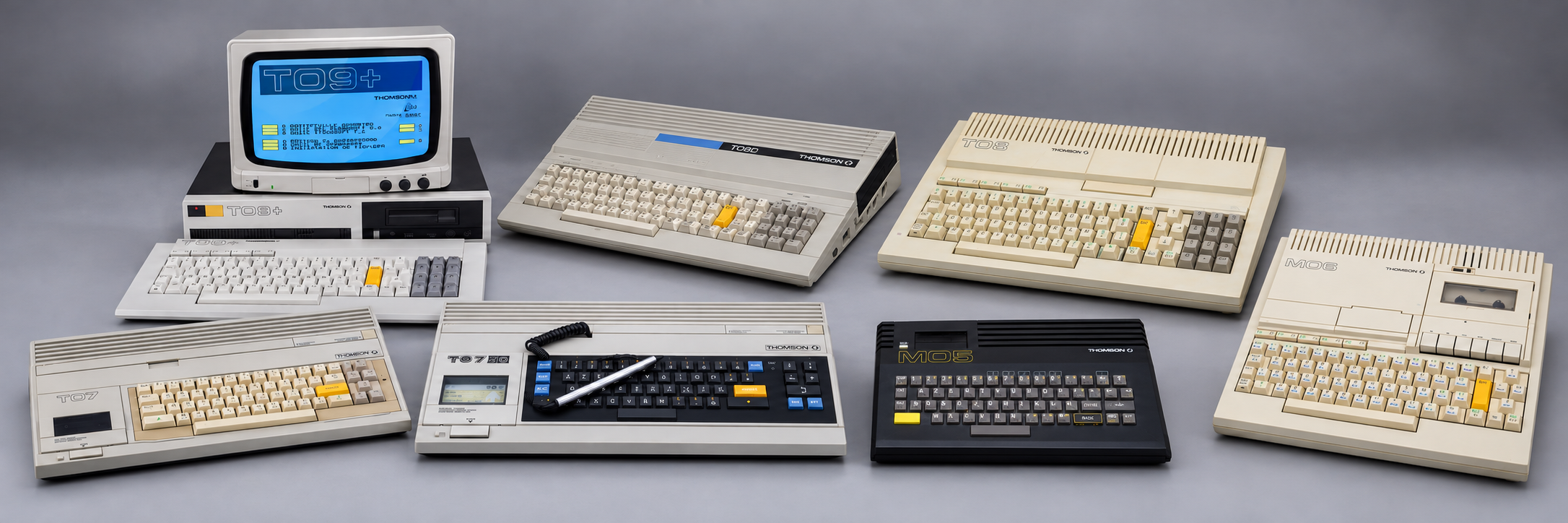
- TO71982
- TO7/701984the inspiration
- MO51984
- MO61986the hardware base
- TO81986
- TO8D1986
- TO9+1986
01 / A LIVING MEMORY
It wasn't just a computer. It was a beginning.
A grey screen. Blue, yellow. A light pen. And everything to invent.
My first computer was a Thomson TO7/70. This project is a tribute to it, and to the whole TO/MO family that introduced a generation of French schoolchildren to computing.
TO2026 carries that memory forward: a personal virtual machine, with the possibilities I dreamt of back then. Its name, start-up screen and spirit come from the TO7/70; its graphics hardware and BASIC 128 reproduce those of the MO6 and TO8.
Nothing in it comes from the original ROMs: the monitor, both BASICs and the desktop are rewritten from scratch, then checked against the examples in the MO6 manual.
The story behind the machine02 / THE MACHINE
The heritage of the TO7/70, the engine of 2026.
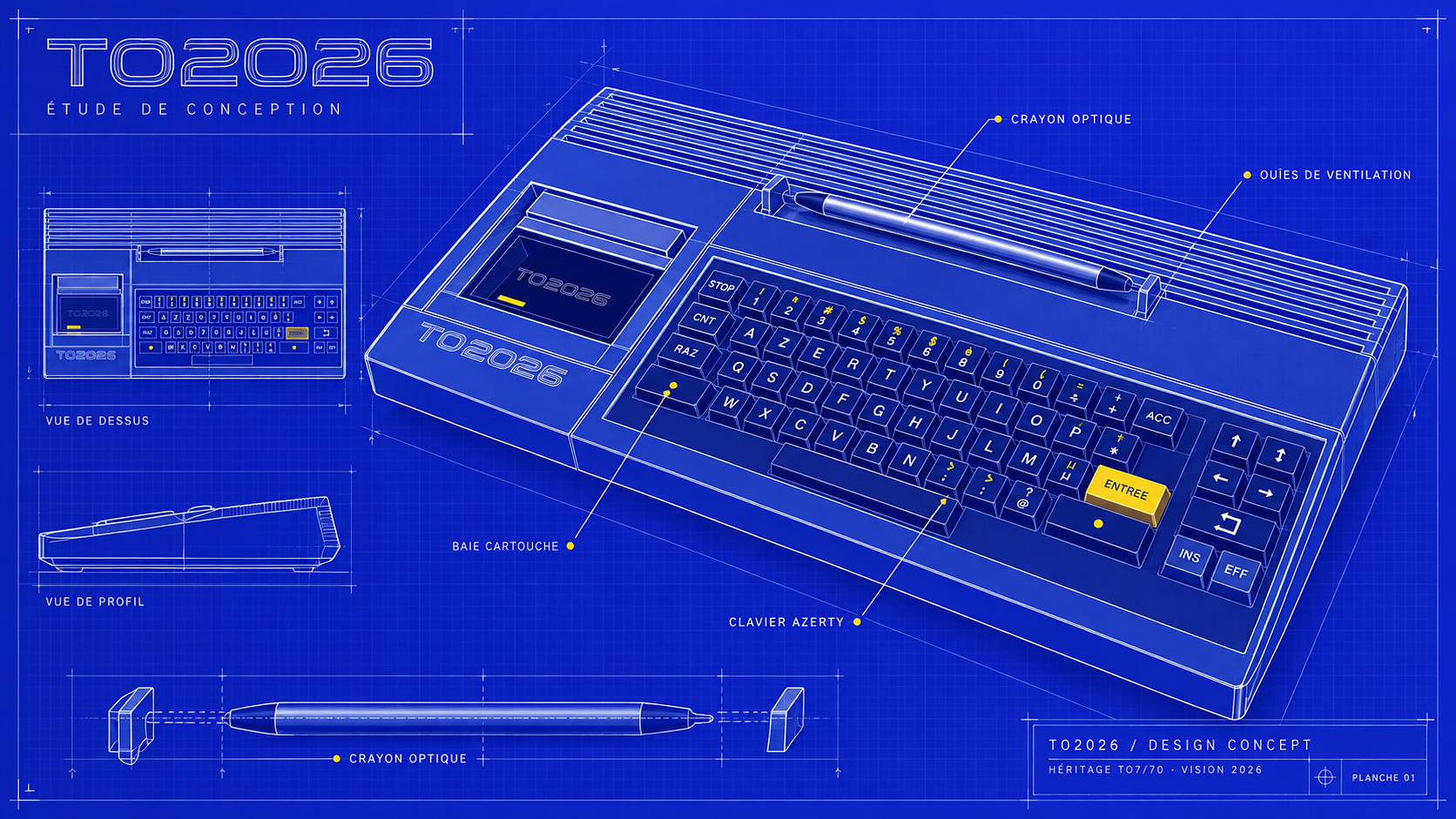
What a Thomson would look like if it were designed today: the AZERTY keyboard and light pen of 1984, and under the hood a complete machine running in your browser.
- DISPLAY12 + 1 modes
The MO6's 12 modes, plus a 640×480 mode with 4096 colours out of 16.7 million.
- SPRITES128 sprites
Up to 64×64 pixels, two tile planes, pixel-accurate collisions, 60 frames/s.
- SOUNDTS-26, 4 voices
A SID-style chip: waveforms, envelopes, multimode filter, samples.
- SPEECHMEA8000
The speech chip of the era, emulated, reading French aloud.
- LANGUAGES2 BASICs
The original BASIC 128, interpreted, and a compiled BASIC 2026, 15 times faster.
- STORAGE16 MB
A disk with folders, kept in the browser from one visit to the next.
- NETWORKN:
The network opens like a file, FujiNet-style: HTTP, JSON, WebSocket.
- DESKTOPdeskTop
A GEOS-style graphical desktop, with a word processor and a spreadsheet.
03 / UNDERSTANDING THE PROJECT
A real machine, not an imitation.
TO2026 doesn't imitate a screen: it reproduces a computer, from its registers up to its BASIC.
Everything is layered as on a real machine. Programs never draw directly: they go through the monitor, which replaces the ROM, and only the virtual hardware knows the registers. That is what lets 1986 programs run unchanged, and new languages be added without breaking anything.
- LANGUAGESBASIC 128 · BASIC 2026 · LOGO, assembler to come
- MONITORscreen, graphics, fonts, sprites, sound, files, network
- VIRTUAL HARDWAREMO6 video · mode 20 · TS-26 · MEA8000 · memory · disk
- BROWSER60 Hz picture · sample-accurate sound · nothing to install
BASIC 128
10 FORI=1TO12
20 CIRCLE(160,96),48,I
30 NEXTI
The MO6 BASIC, interpreted at its original speed, with its compact syntax, its turtle and its error messages. 52 examples from the manual give the result printed in the guide.
Discover BASIC 128 ↗ LANGUAGE · 2BASIC 2026
function F&(n%)
  if n < 2 then
    F& = 1
  else
    F& = n * F&(n-1)
  end if
end function
The same spirit, compiled: SUB and FUNCTION, types, sprites, background sound, files and network. A BASIC 128 program should run in it unchanged.
Discover BASIC 2026 ↗ DESKTOPGEOS for TO2026
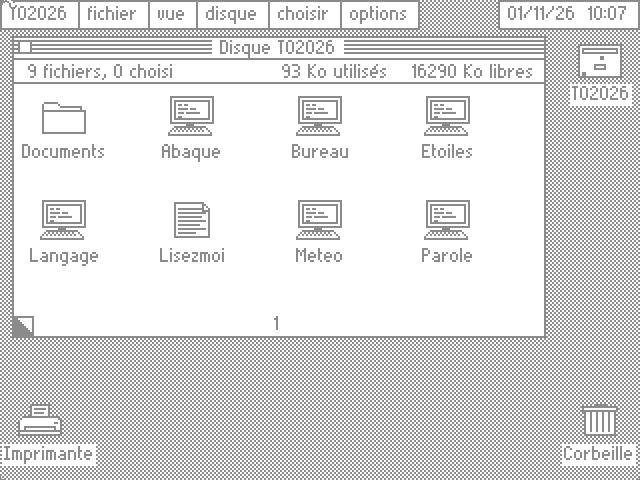
A graphical desktop inspired by GEOS, written entirely in BASIC 2026, with Plume for writing and Abaque for numbers.
See the desktop ↗TRY IT
Three moves, just like in 1984.
- Switch on the machine: the TO7/70 start-up screen appears.
- Touch 2, with the mouse or the keyboard, for BASIC 2026.
- Type
RUN "BUREAU"and the desktop opens.
- 342automated tests, all passing
- 194BASIC 128 keywords
- 95BASIC 2026 built-in functions
- 0bytes of original ROM